
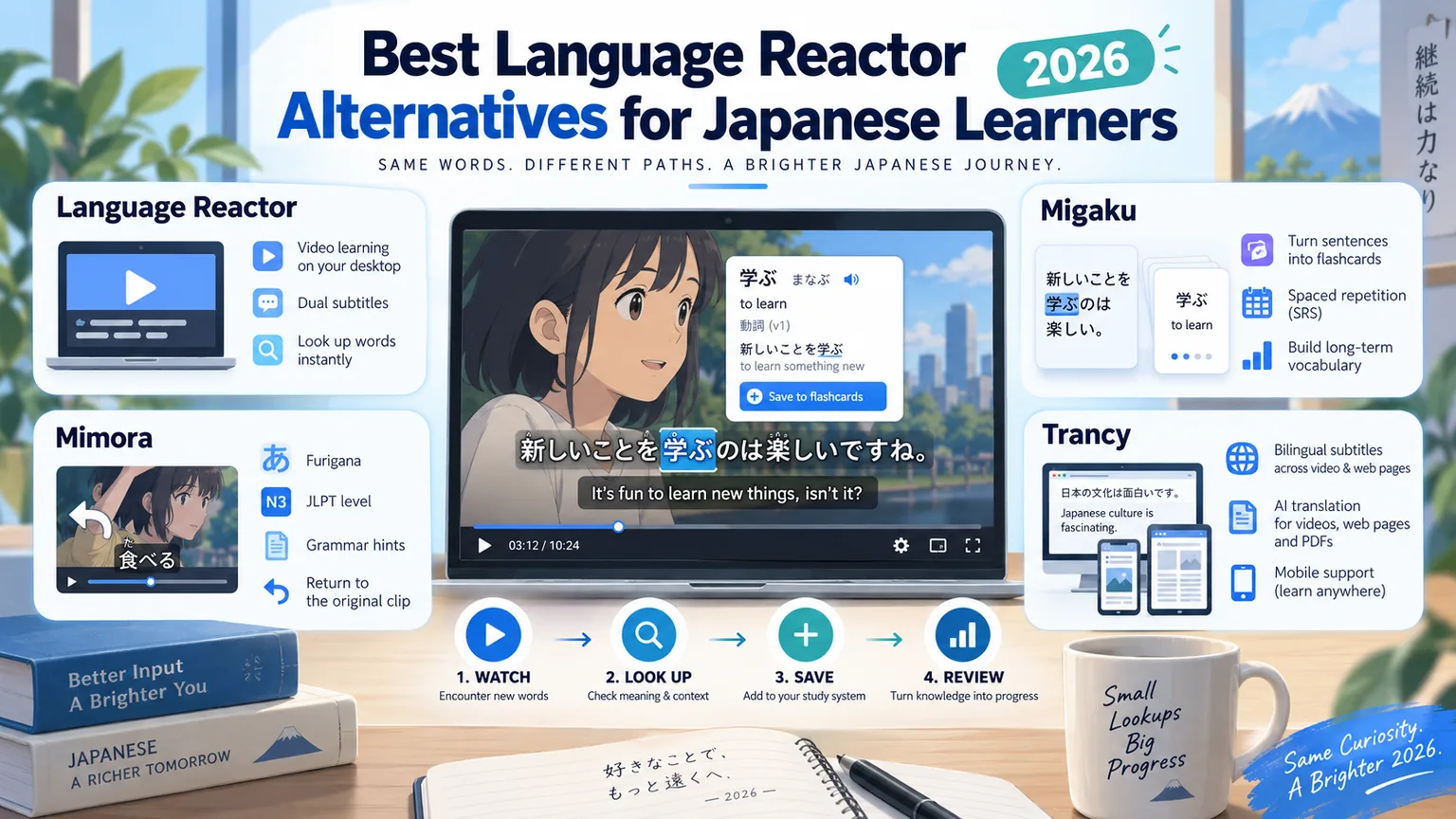
If you study Japanese from video and Language Reactor is not the right fit, the three tools learners most often move to are Migaku, Trancy and Mimora. Migaku turns what you watch into spaced-repetition flashcards across eleven languages. Trancy layers bilingual subtitles and AI translation over video, web pages and PDFs. Mimora does Japanese only, and treats a whole video — not a single word — as the thing you work through and finish. The right choice depends less on the feature lists than on what you want to happen to a word after you look it up.
What actually matters for Japanese learners
All four tools do roughly the same thing in the first ten seconds: two subtitle tracks at once, and a dictionary when you click a word. That part is close to solved, and comparing it will not tell you much. The differences show up afterwards, and they come down to four questions.
First, what happens to a word once you keep it — whether it enters a review system, gets exported somewhere else, or simply sits in a list. Second, whether the tool knows it is teaching Japanese: furigana, verb forms, JLPT levels and grammar patterns are work that a pipeline built for many languages at once does not do for you.
Third, what the unit of study is. For most of these tools the unit is the card, and a video is a quarry you take cards out of. It can instead be the video itself — something you return to until you understand all of it, and then keep. The same evening of watching produces very different habits depending on which of those it feeds. Fourth, where review actually happens: studying at a desk and reviewing on a phone are two halves of the same habit, and not every tool covers both.
Language Reactor
Language Reactor describes itself on its Chrome Web Store listing as a way to "learn languages effectively by watching films and series in your target language", and as "a powerful toolbox for learning languages". It adds dual-language subtitles, a popup dictionary and precise playback controls on Netflix, it covers YouTube, and it can import text from books and websites, adding a machine translation and reading it aloud with text-to-speech.
One line on that listing is worth reading closely before you commit: "Our extension runs on Google Chrome on desktop and laptop computers running Windows and MacOS." No mobile app is named anywhere on it. The listing says the extension offers in-app purchases without describing the tiers, and Language Reactor keeps its own help pages on saving words and on exporting — worth opening directly, because the store description does not cover what those features currently do.
Best suited to: someone who watches a lot of Netflix and YouTube at a computer, wants the most comprehension help per click, and does their reviewing somewhere else.
Migaku
Migaku calls itself "a powerful Chrome extension that turns your favorite websites into simple and effective learning materials", and supports eleven languages including Japanese. It works on Netflix, YouTube, Twitter and general web pages, and it is built around one idea: the sentence you did not understand becomes a card you will see again.
Its own site says a card carries "the new word and its context sentence, audio, screenshot, definition, AI explanation", and it documents Anki integration for sentence mining, so an existing Anki habit does not have to be abandoned. Migaku is also the widest of the four in reach: a browser extension, an iOS app, an Android app, and Migaku Memory for the web. It advertises a ten-day free trial that does not ask for a credit card.
Best suited to: sentence miners, people already living in Anki, and anyone studying more than one language who does not want a separate tool for each.
Mimora
Disclosure: Mimora is our own product; check this section against the links below. It focuses on Japanese, with a Chrome extension and an Android app sharing one learning library. The extension supports YouTube, Netflix and news articles. Netflix learning is not available on Android.
What is hardest to see from a feature list is what it does with a video. Saving a word saves the sentence, the video and the timestamp with it, so the word is never separated from where it came from. In review the sentence is played before it is shown, so you are tested on hearing it rather than on reading it; you mark what still needs work, and you can jump straight back to the moment it came from. The video itself becomes something you carry: it is tracked as a review project rather than a line in your history, it is finished when every sentence in it is understood without help, and it stays in your library afterwards. The unit of study is the video, and finishing one is an event.
Doing one language is what pays for the rest of it. Mimora renders furigana, looks words up in JMdict, detects grammar across around seven hundred points inside the sentence you are actually looking at, and tracks an estimated JLPT level across both your library and your review queue — so what you have saved can be read as "where am I" rather than only as a word count. The other three carry the same toolset across ten or more languages, and per-language work of this kind is not what they are built to do.
On the higher tiers there is also Rinrin, an AI tutor that reads your study record rather than only the sentence on screen, and recommends what to work on next together with the reason it chose that. It is not on the entry plan, so if it matters to you, check which tier carries it before subscribing.
Best suited to: learners committed to Japanese specifically, who want to finish videos rather than only harvest cards from them, who want furigana, grammar and JLPT level handled for them, and who review on an Android phone.
Trancy
Trancy describes itself as providing "bilingual subtitle for platforms like YouTube, Disney+, as well as AI translator for websites". Its own site lists YouTube, Netflix, HBO Max, TED, edX and Coursera, plus web pages and PDFs, and it supports ten or more languages including Japanese. It is the broadest of the four in what counts as study material.
It collects videos, sentences and words into a personal library for review, and it publishes an iOS app and an Android app alongside the extension. Its pricing page shows a free tier running on Google Translate, a Premium tier adding AI transcription for videos with no captions, PDF translation and pronunciation assessment, and a higher tier that routes work through a choice of large language models under a monthly token budget.
Best suited to: people whose material is not mostly video — lecture platforms, PDFs, long-form web reading — and who want one tool covering all of it.
How they compare
| Language Reactor | Migaku | Mimora | Trancy | |
|---|---|---|---|---|
| Built around | Understanding native film and TV as you watch it | Turning media into spaced-repetition cards | Finishing a whole video, in Japanese only | Bilingual subtitles and AI translation over any content |
| One language or many | Many; the count is not stated on its listing | Many — 11, including Japanese | One — Japanese | Many — 10 or more, including Japanese |
| Where it runs | Chrome on Windows and macOS desktops | Extension, iOS, Android, and web | Chrome extension and Android app | Extension, iOS, and Android |
| Where material comes from | Netflix, YouTube, imported books and websites | Netflix, YouTube, Twitter, general web pages | YouTube, Netflix (browser extension), news articles | YouTube, Netflix, HBO Max, TED, edX, Coursera, web, PDFs |
| Pricing model | Offers in-app purchases; see current pricing | Ten-day trial, no card; see current pricing | Monthly or one-time lifetime; see current pricing | Free tier plus paid tiers; see current pricing |
Prices are deliberately absent from that table. All four change them, and a figure copied into an article is wrong within months — the links at the bottom go to each product’s own pricing page, which is the only version that is current.
Which one to choose
Choose Language Reactor if
- Netflix is where most of your input comes from
- You study at a computer and never on a phone
- You want the strongest in-the-moment comprehension help
- Your review already lives somewhere else
Choose Migaku if
- You want every saved sentence to become a card
- Anki is already part of your routine
- You are studying more than one language
- You need the same library on desktop and on a phone
Choose Mimora if
- Japanese is the only language you are learning
- You want to finish videos, not only harvest cards from them
- You want furigana, grammar and JLPT level handled for you
- You want review to replay the clip a word came from
- You want something that reads your record and says what is next
Choose Trancy if
- Your material is lectures, PDFs and articles as much as video
- You want AI captions for videos that have none
- You want to start on a free tier
- Pronunciation practice matters to you
Common questions
- Is there a Language Reactor app for phones?
- Its Chrome Web Store listing states that the extension runs on Google Chrome on desktop and laptop computers running Windows and macOS, and it names no mobile app. Migaku and Trancy both publish iOS and Android apps, and Mimora publishes an Android app. If reviewing on a phone is part of how you study, confirm this on the listing yourself before paying for anything.
- Do all of these work with Netflix?
- All four support Netflix in their browser extensions. Mimora supports Japanese subtitle study, translation, sentence replay and looping, and saving individual sentences for review. You need your own Netflix account and a title with Japanese subtitles; Netflix learning is not available on Android.
- Which of these remembers which video a word came from?
- Mimora saves the sentence, the video and the timestamp alongside the word, so review plays the audio first and can jump back to that exact moment in the clip. Migaku documents cards that carry the context sentence, audio and a screenshot from where the word appeared. Language Reactor and Trancy describe saving words and sentences without describing a return to the source.
- Which of these understands JLPT levels and Japanese grammar?
- Mimora is the only one of the four built for a single language: it renders furigana, detects grammar across around seven hundred points in context, and tracks an estimated JLPT level across your library and review queue. The other three carry the same toolset across ten or more languages, so they hold Japanese material without organising it by level or pattern. None of them is a JLPT course, and a dedicated grammar and kanji resource alongside is still worth having.
- Can any of them tell me what to study next?
- Mimora includes Rinrin on its higher tiers, an AI tutor that reads your study record rather than only the sentence on screen and recommends what to work on next, with the reason for the choice. Migaku and Trancy document AI that explains or translates what is in front of you — an explanation on a card, a translation of a page — rather than AI that plans from your history. Check which tier carries it before subscribing.
- What is the difference between a subtitle tool and a flashcard tool?
- A subtitle tool helps you understand something once, while you are watching it. A flashcard tool helps you meet it again weeks later, after you have forgotten it. Language Reactor and Trancy lead with understanding, Migaku leads with cards, and Mimora leads with returning to the clip and finishing the video. Most learners eventually want more than one of those, which is what the choice is really about.
- Do I need to pay before I can try one?
- Trancy publishes a free tier on its pricing page. Migaku advertises a ten-day trial that does not ask for a credit card. Language Reactor’s Chrome listing says it offers in-app purchases without detailing the tiers. Mimora is paid, with a monthly plan and a one-time lifetime option. Open each pricing page rather than trusting a figure quoted in an article.